- Quick Start
- Overview
- Lockers
- Reservations
- Orders
- Customers
- Products
- Overwrite codes
- Virtual Vending Machine
- Settings
- User Settings
To place a reservation in a box, you must first create a reservation. For more information on how to create a reservation, see How do I create a reservation? of How do I create a reservation for the Virtual Vending Machine?
- Log in to https://app.viresmo.com. Select your organisation and your store.
A reservation can be placed in a box at "Overview", "Reservations" or at "Lockers". For more information about the other pages, see:
- Lockers - How do I place a reservation in a box?
- Reservations - How do I place a reservation in a box?
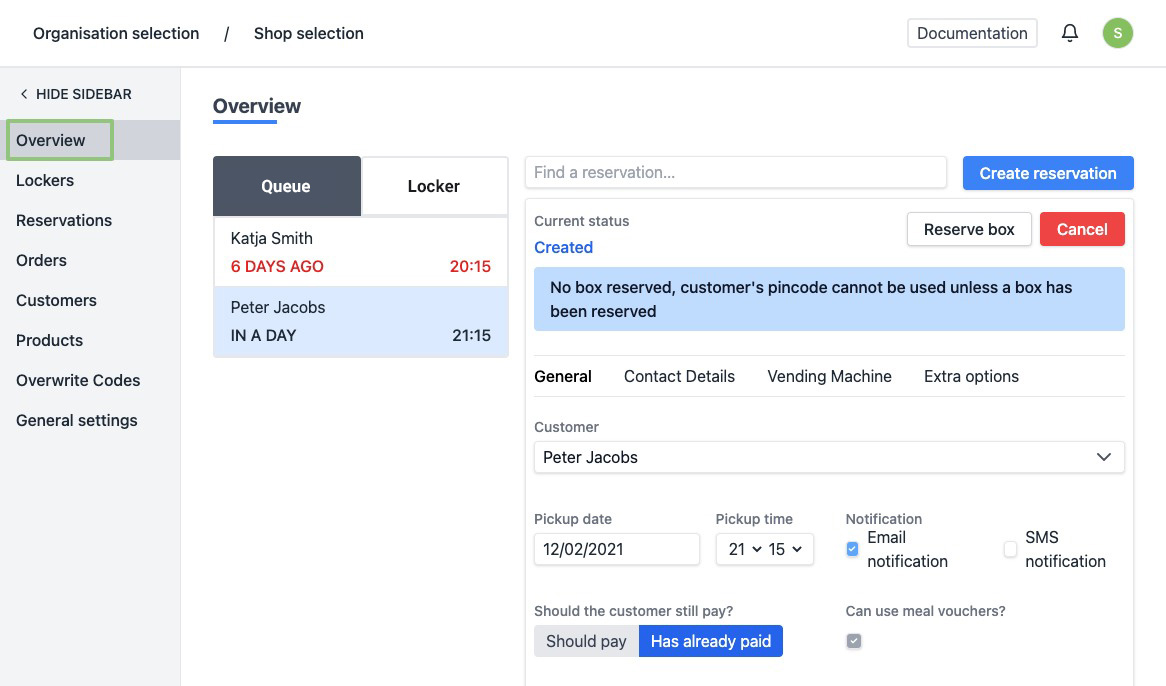
- In the menu on the left, go to "Overview".
-
You will see an overview of all your reservations in the queue. Click on the reservation you wish te place in a box.
-
The details of the reservation are shown at the right.
-
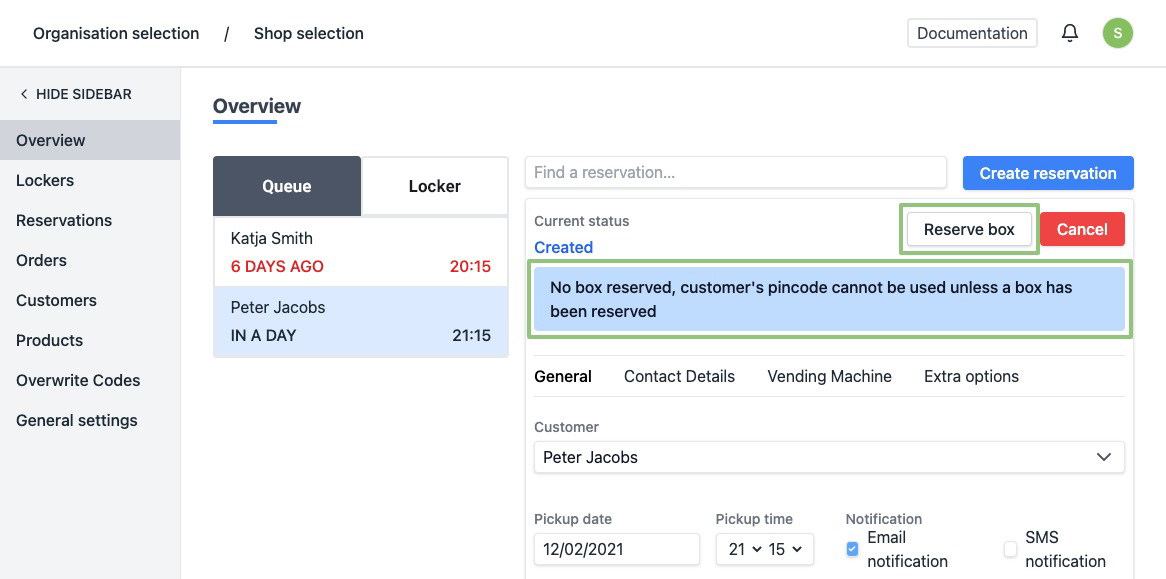
At the top of a reservation you can see whether it has already been assigned to a box. Click on "Reserve box" at the top right.
-
A popup will appear with a form to choose your box. The next available box is suggested by default. You can also select multiple boxes.
If you choose multiple boxes, the customer will only receive 1 code to open the different boxes. When entering the code, the different boxes open simultaneously.
You can switch between lockers via the dropdown menu.
Click on "Reserve box" to assign a box.
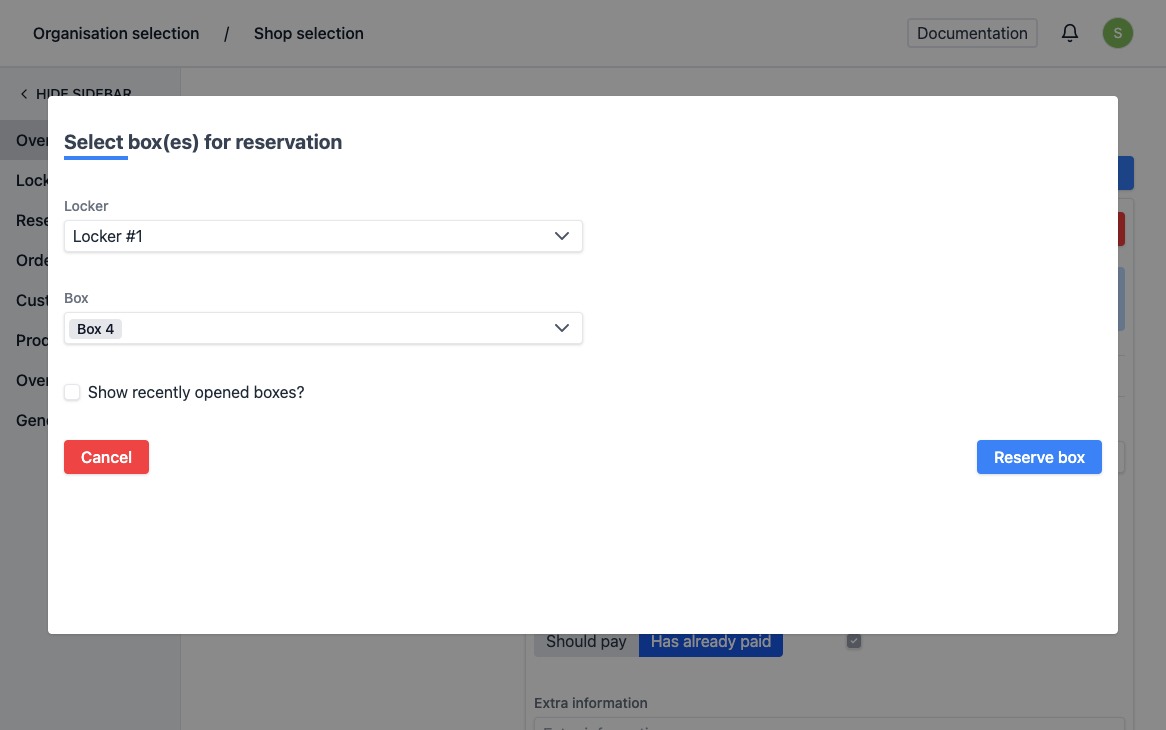
- When assigned successfully, the page is automatically reloaded and the status of reservation will have been updated. The reservation has been removed from the "In Wachtrij" list and can now be found in the "In Locker" list. You will see a notification at the bottom right saying the status has been updated successfully. If the order has not yet been paid, there is an extra line to enter the amount to be paid.
The customer will automatically receive his code x hours before the pick up hour. You can determine this time interval yourself in the settings.