- Quick Start
- Overview
- Lockers
- Reservations
- Orders
- Customers
- Products
- Overwrite codes
- Virtual Vending Machine
- Settings
- User Settings
- Log in to https://app.viresmo.com. Select your organisation and your store.
A reservation can be canceled at "Overview", "Reservations" or at "Lockers". For more information about the other pages, see:
- Overview - How do I cancel a reservation?
- Reservations - How do I cancel a reservation?
- In the menu on the left, go to "Lockers".
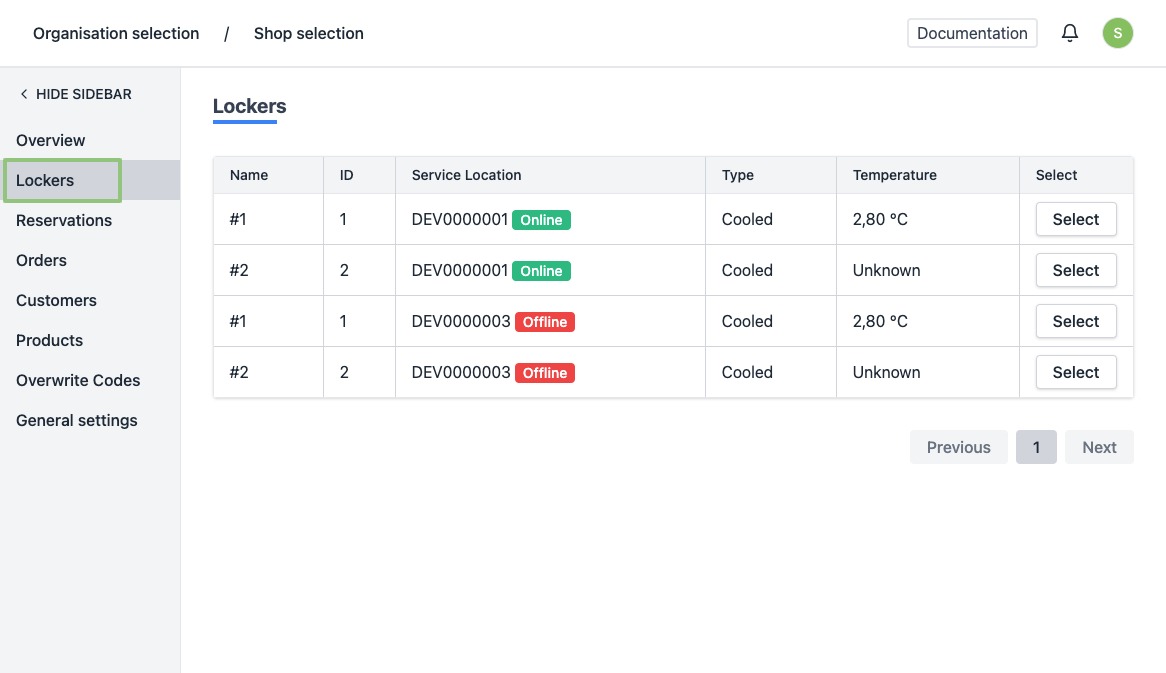
- You will see a list of all your current lockers.
- Click on the row or the button “Select” of the locker of which you wish to consult the content.
- You will be directed to the locker's detail page.
At the top you will see an overview with the current locker content.
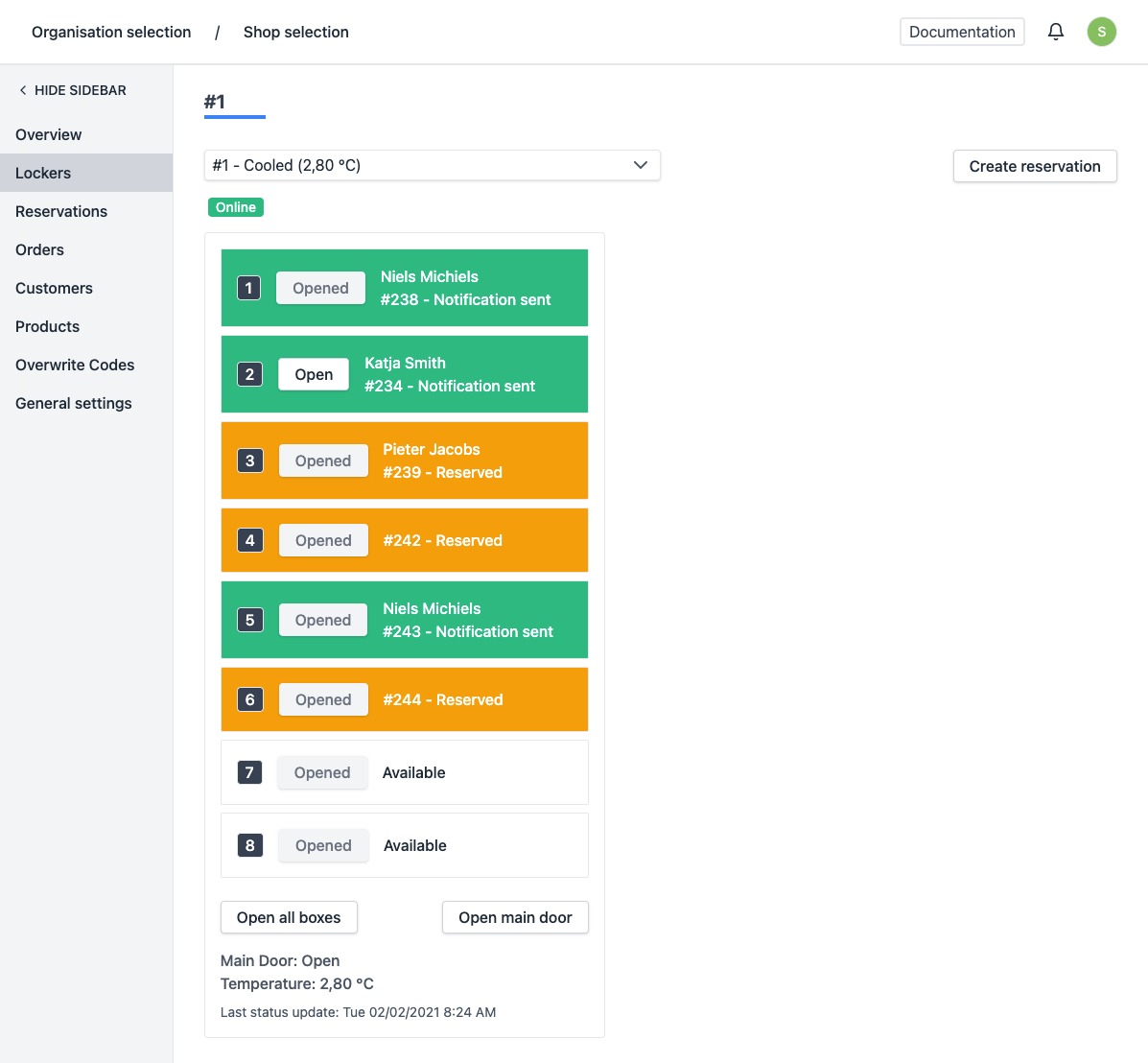 When you click a box in this overview, you will be taken to a second, more detailed overview. Click on "Cancel".
Attention! If you cancel a reservation, you must remove it from the locker. If you want to recreate a reservation for this order later on, click on "Remove reservation from locker". This way you put the reservation back in to the queue. This button is only available for reservations that are already in a locker and for which the code has not yet been sent to the customer.
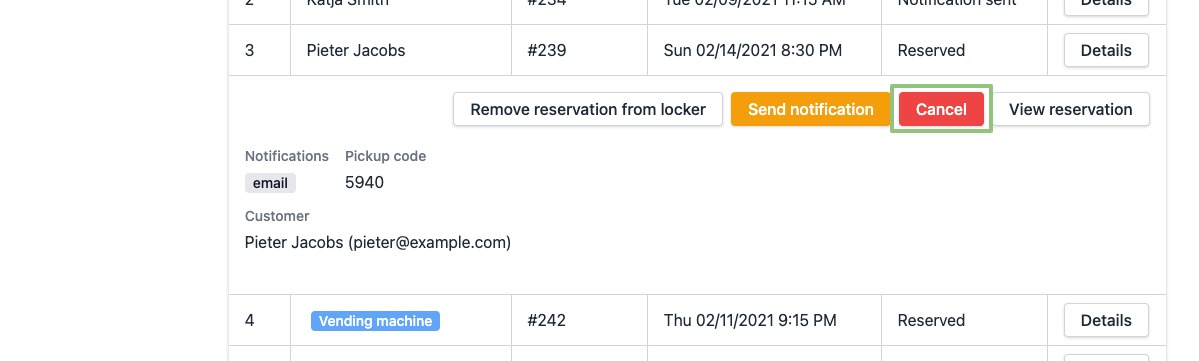
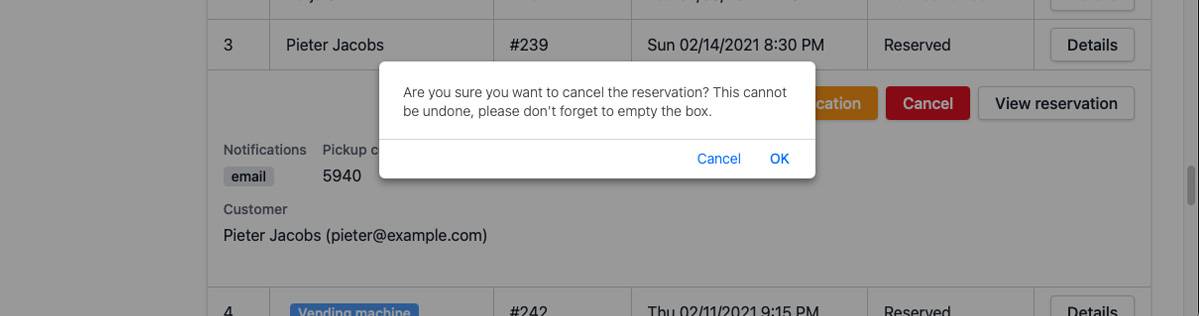
- A pop-up will appear to confirm your action. If you are sure you want to cancel the reservation, click “OK”.
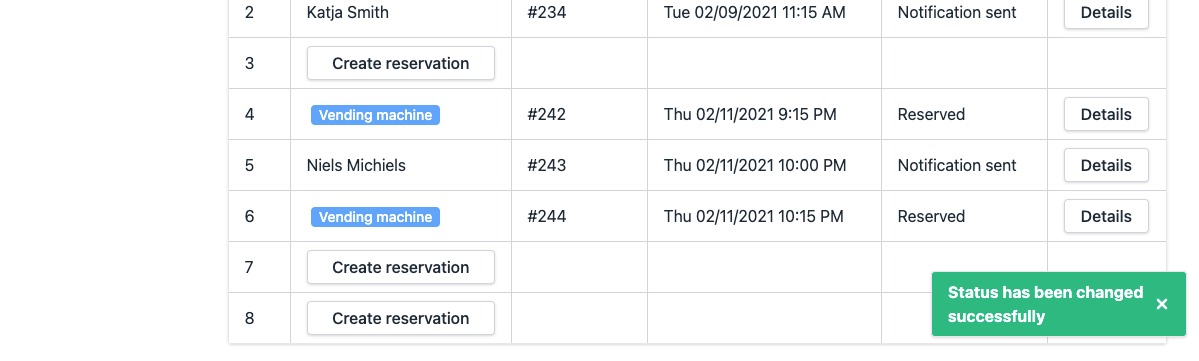
- When cancelled successfully, the page will be refreshed automatically and the reservation will no longer be present in the list and the locker. You will see a notification at the bottom right saying the status has been changed successfully.
In case you would you still like to see the details of the reservation, you can still find it at "Reservations".