How do I delete a product?
Show Menu
- Quick Start
- Overview
- Lockers
- Reservations
- Orders
- Customers
- Products
- Overwrite codes
- Virtual Vending Machine
- Settings
- User Settings
- Log in to https://app.viresmo.com. Select your organisation and your store.
- In the menu on the left, go to "Products".
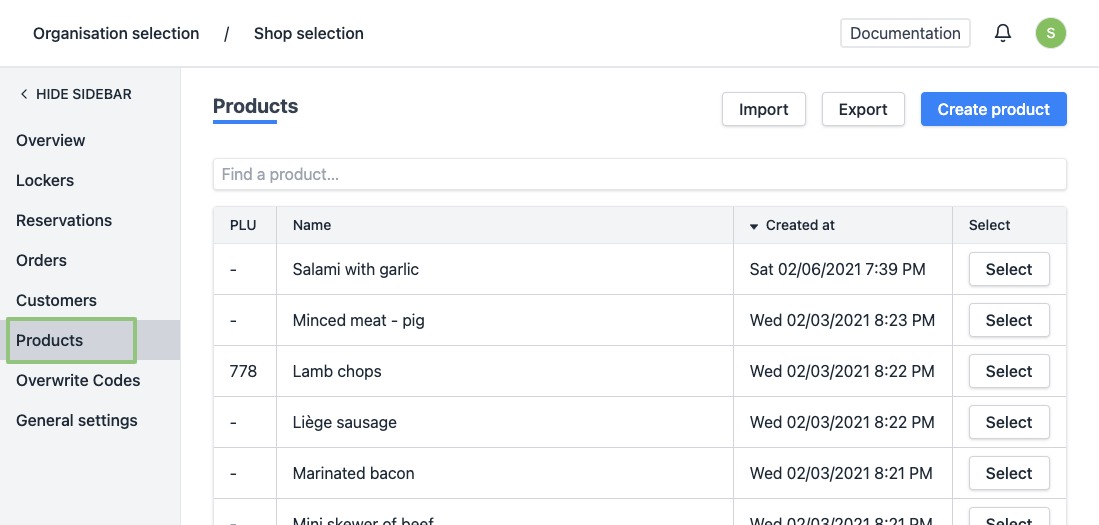
- You will see a list of all your products.
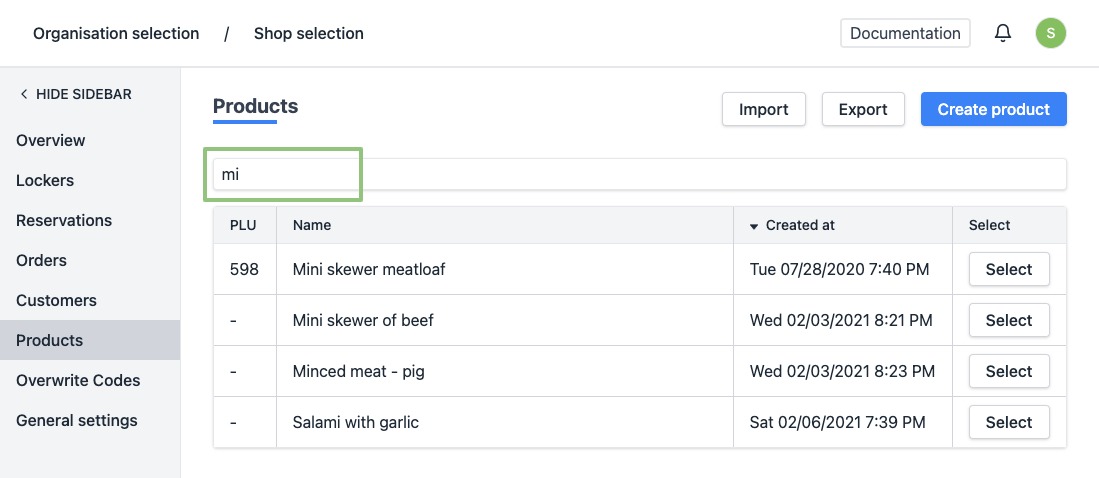
- Click on the row or the button “Select” for the product you wish to delete. Can't find the product? Use the search field at the top of the list to easily find the product.
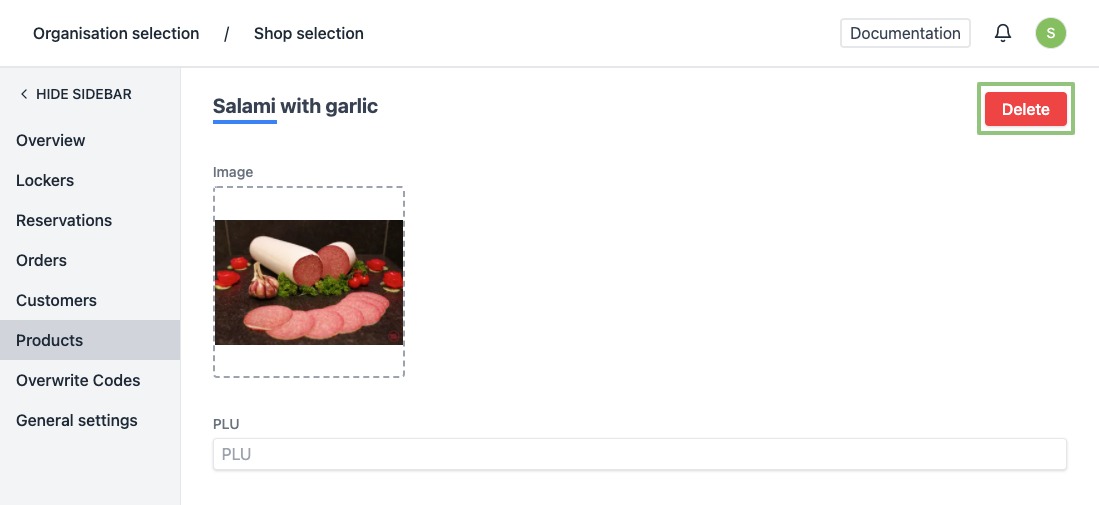
- You will arrive at the product's detail page.
- At the top right, click "Delete" to delete a product.
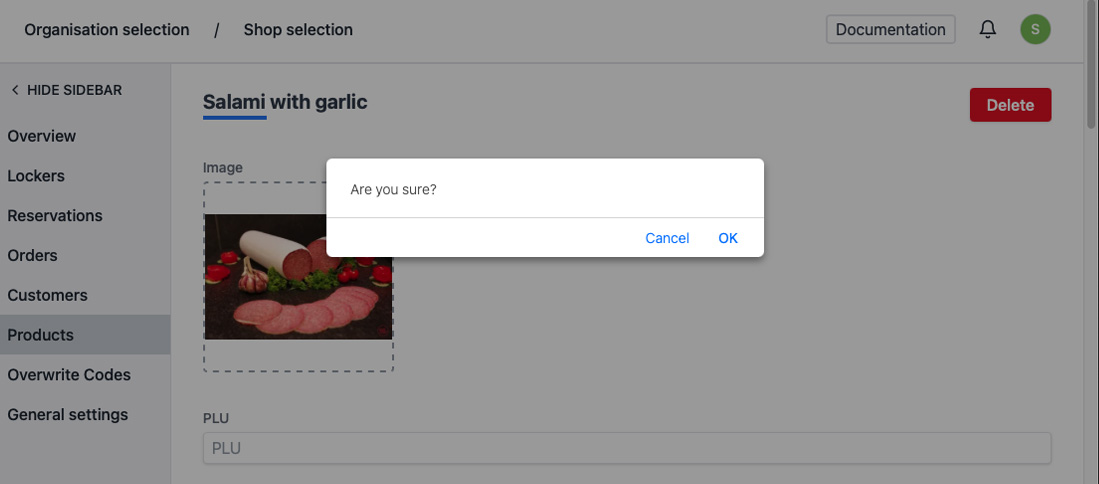
- A pop-up will appear to confirm your action. Click “OK”.
- When deleted successfully, you will be redirected to the overview of the products. You will see a notification at the bottom right saying the product has been removed successfully.