How do I create an overwrite code?
Show Menu
- Quick Start
- Overview
- Lockers
- Reservations
- Orders
- Customers
- Products
- Overwrite codes
- Virtual Vending Machine
- Settings
- User Settings
- Log in to https://app.viresmo.com. Select your organisation and your store.
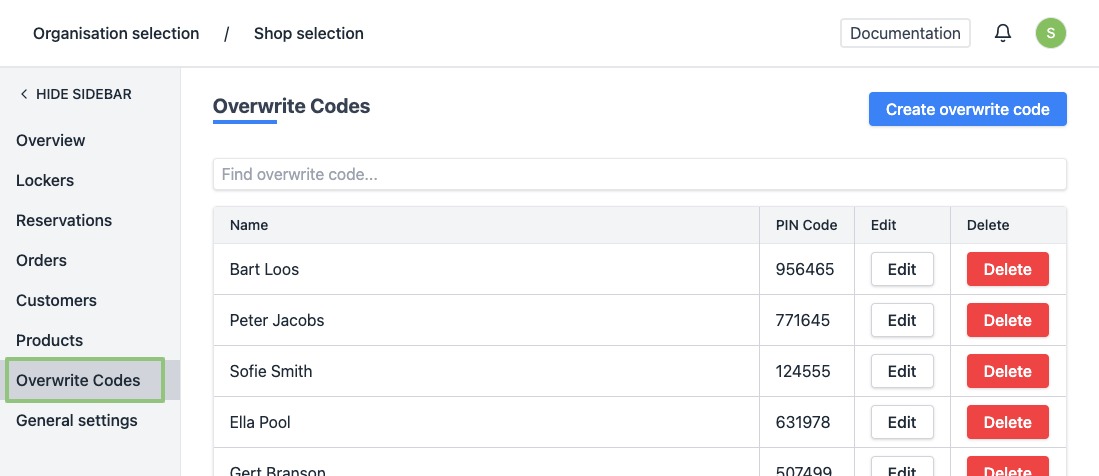
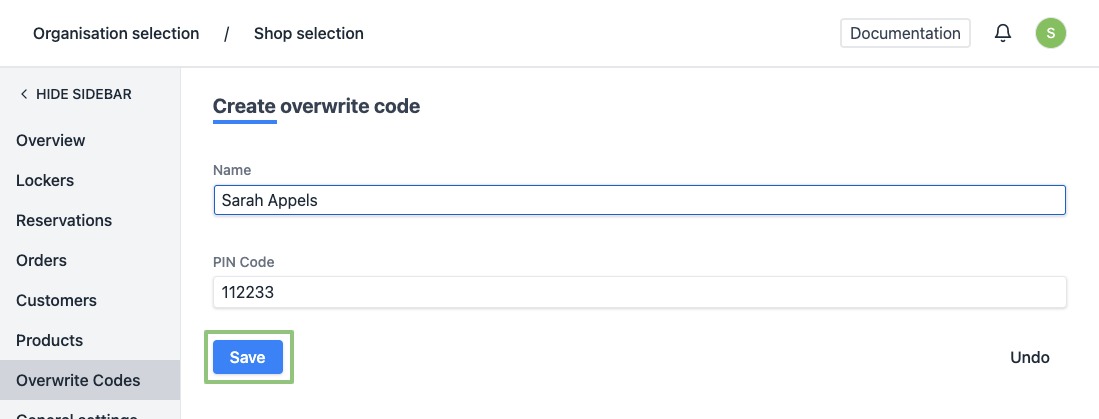
- In the menu on the left, go to "Overwrite Codes".
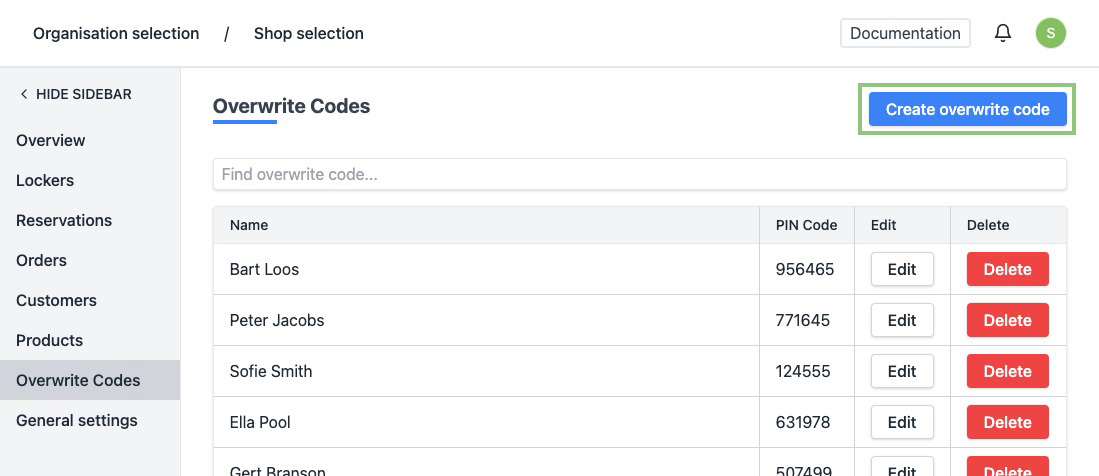
- You will see a list of all your overwrite codes. At the top right, click "Create overwrite code".
Attention, a maximum of 10 overwrite codes can be created.
- Give your code a name, for example the name of a staff member, and enter a number of 6 digits.
Attention , obvious codes such as "123456" or "778899" will not be accepted. If you enter this anyway and click on "Save", you will see an error message.
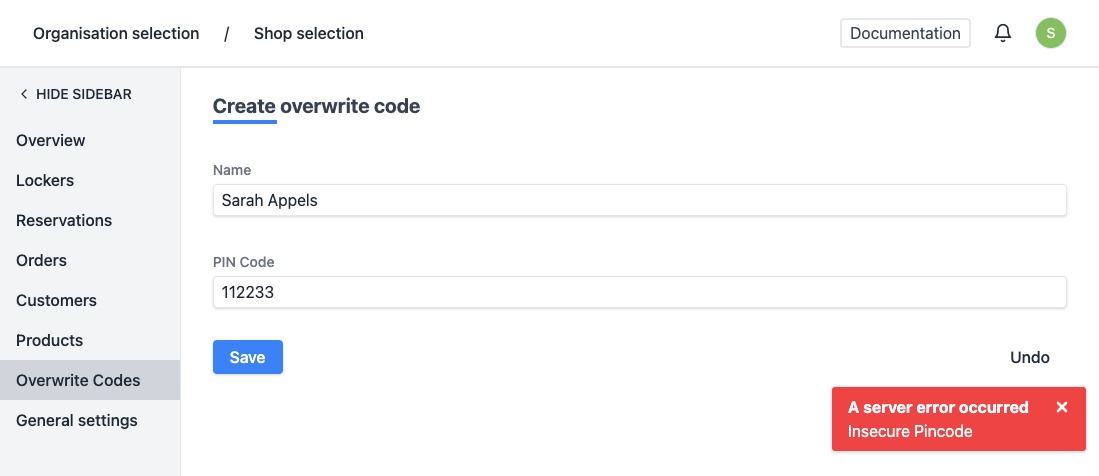
- Click on “Save” .
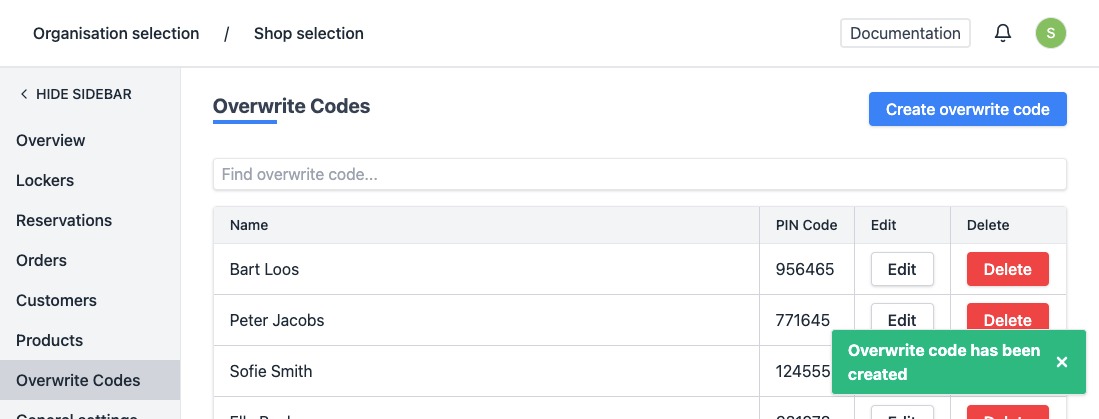
- When created successfully, you will be redirected to the overview of the overwrite codes and you will see a notification at the bottom right saying the overwrite code has been created successfully.