How can I open one or more boxes via the platform?
Show Menu
- Quick Start
- Overview
- Lockers
- Reservations
- Orders
- Customers
- Products
- Overwrite codes
- Virtual Vending Machine
- Settings
- User Settings
- Log in to https://app.viresmo.com. Select your organisation and your store.
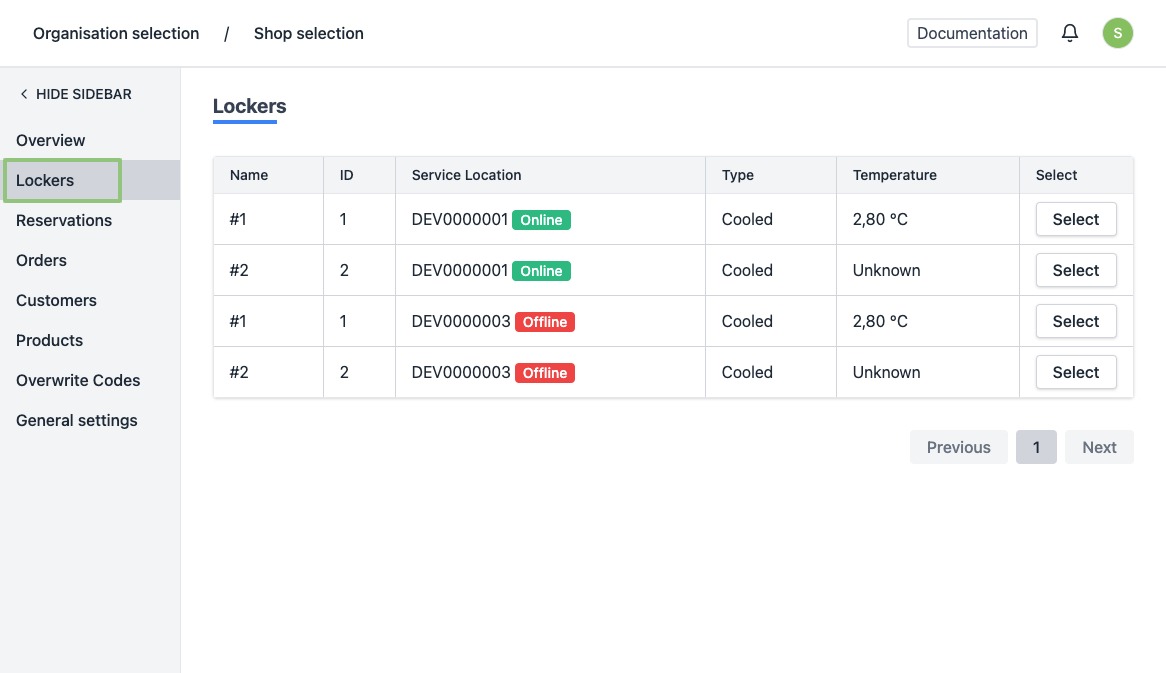
- In the menu on the left, go to "Lockers".
-
You will see a list of all your current lockers.
-
Click on the row or the button “Select” of the locker of which you wish to open one or more boxes.
-
You will be directed to the locker's detail page.
At the top you will see an overview with the current locker content.
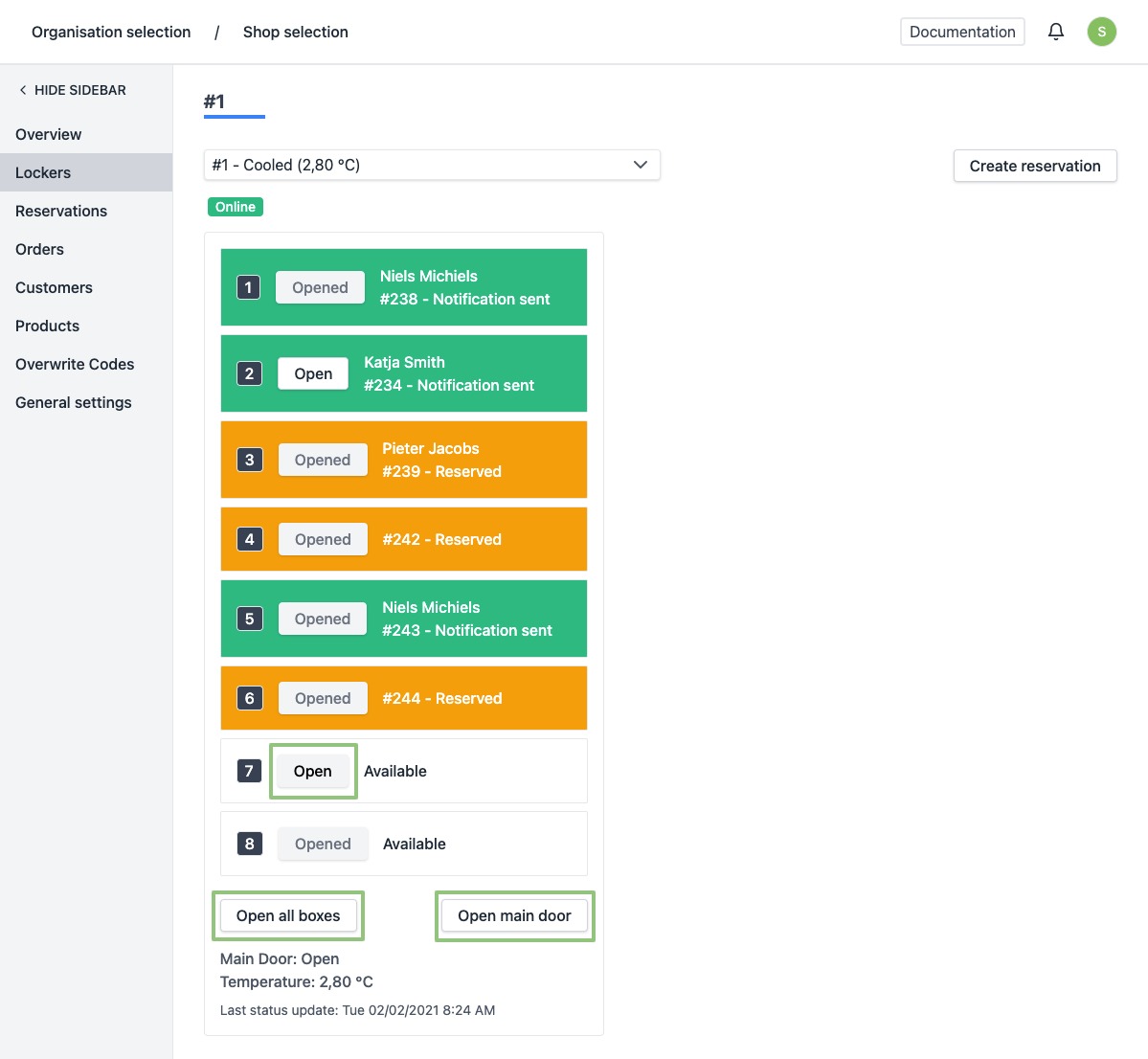
- To open 1 box, click on the button "Open" in the box you wish to open. When a box is open, the text on the button will change from "Open" to "Opened".
- To open all boxes, click on the button "Open all boxes" at the bottom left of the overview. When a box is open, the text on the button will change from "Open" to "Opened".
- To open the main door, click on the button "Open main door" at the bottom right of the overview.
Attention, the time in which the main door can be opened is only 8 seconds. If the door is not opened within this time period, you will have to click "Open main door" again. The boxes, on the other hand, are opened, but you can only close them manually (physically). Once opened, they will remain open until you close them manually.