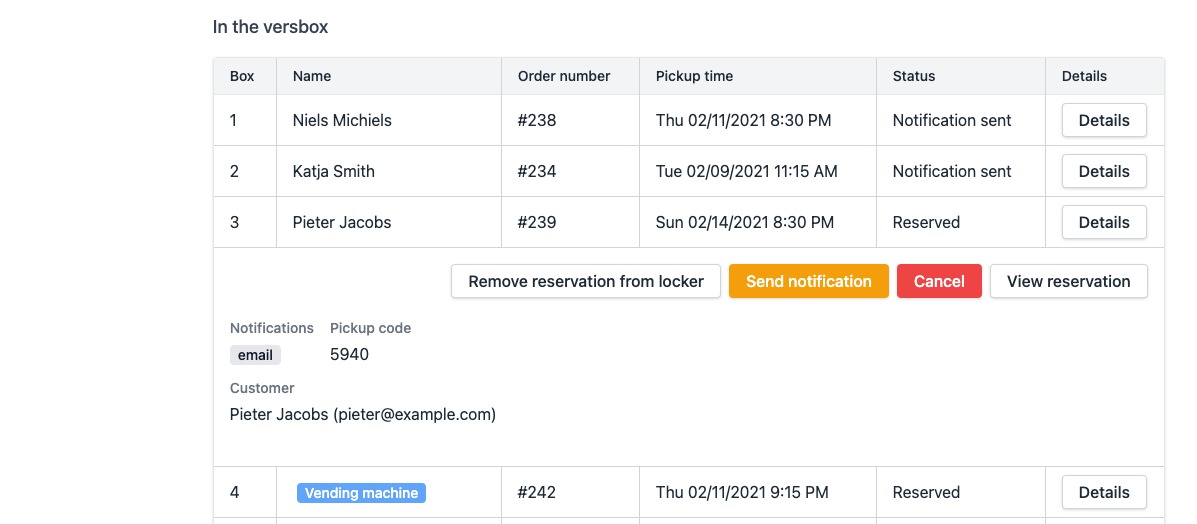
Where can I consult the current contents of a locker?
Show Menu
- Quick Start
- Overview
- Lockers
- Reservations
- Orders
- Customers
- Products
- Overwrite codes
- Virtual Vending Machine
- Settings
- User Settings
- Log in to https://app.viresmo.com. Select your organisation and your store.
- In the menu on the left, go to "Lockers".
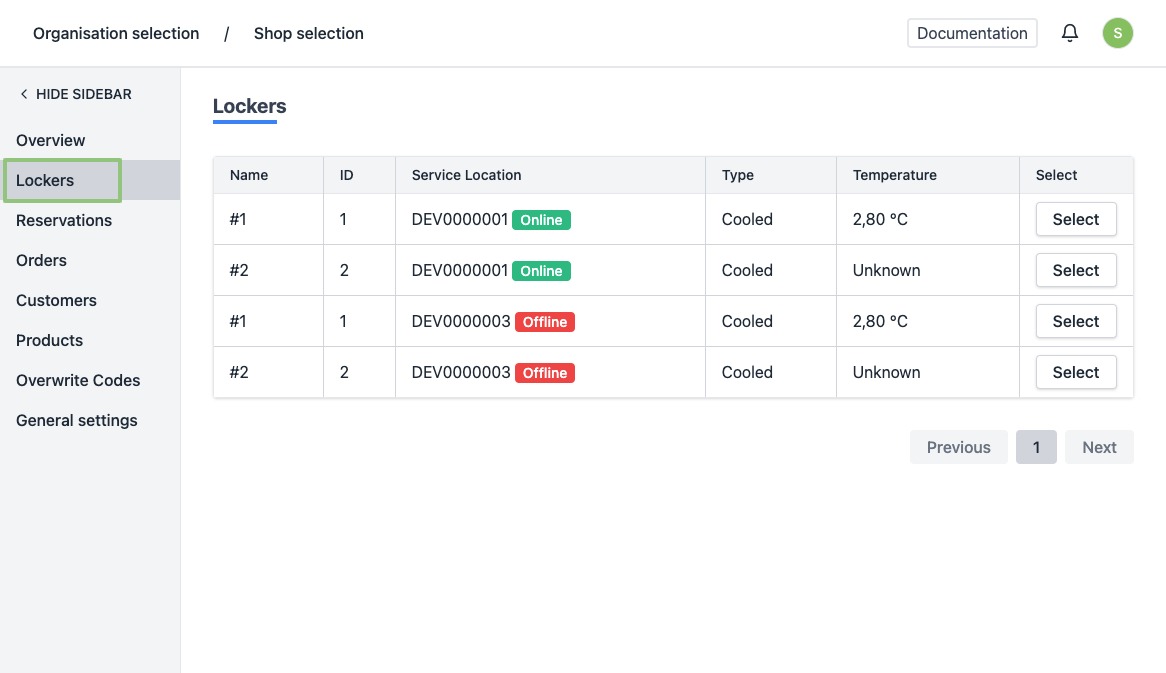
- You will see a list of all your current lockers.
- Click on the row or the button “Select” of a locker.
- You will be directed to the locker's detail page.
At the top you see a dropdown menu to easily switch between other lockers.
Underneath this dropdown menu you will see an overview of the current locker content. You will always see the number of boxes present in the selected locker, along with the status of each order in the boxes.
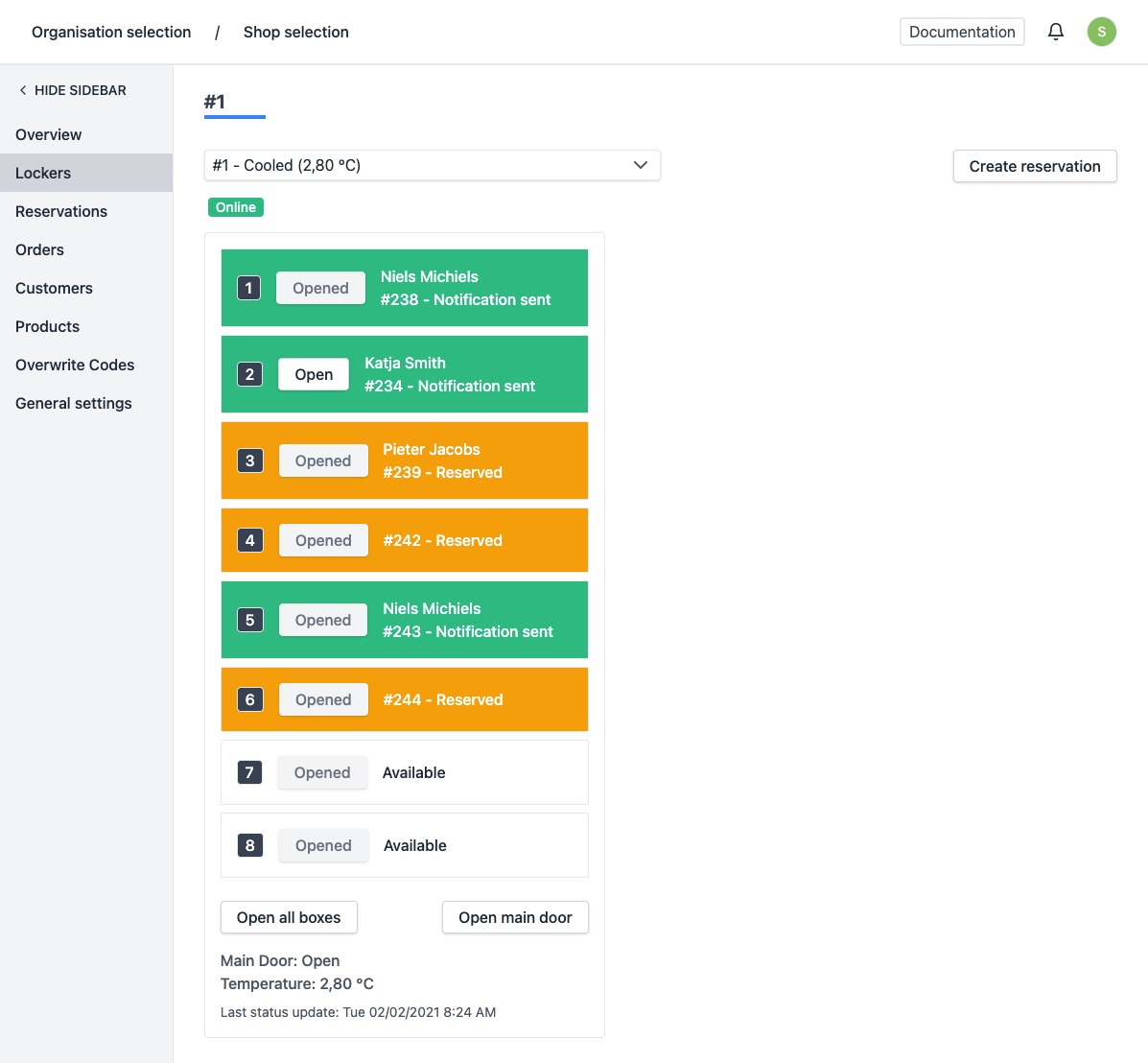 When you click on a box in this overview, you will be taken to a second, more detailed overview.