Where can I consult the status of my lockers?
Show Menu
- Quick Start
- Overview
- Lockers
- Reservations
- Orders
- Customers
- Products
- Overwrite codes
- Virtual Vending Machine
- Settings
- User Settings
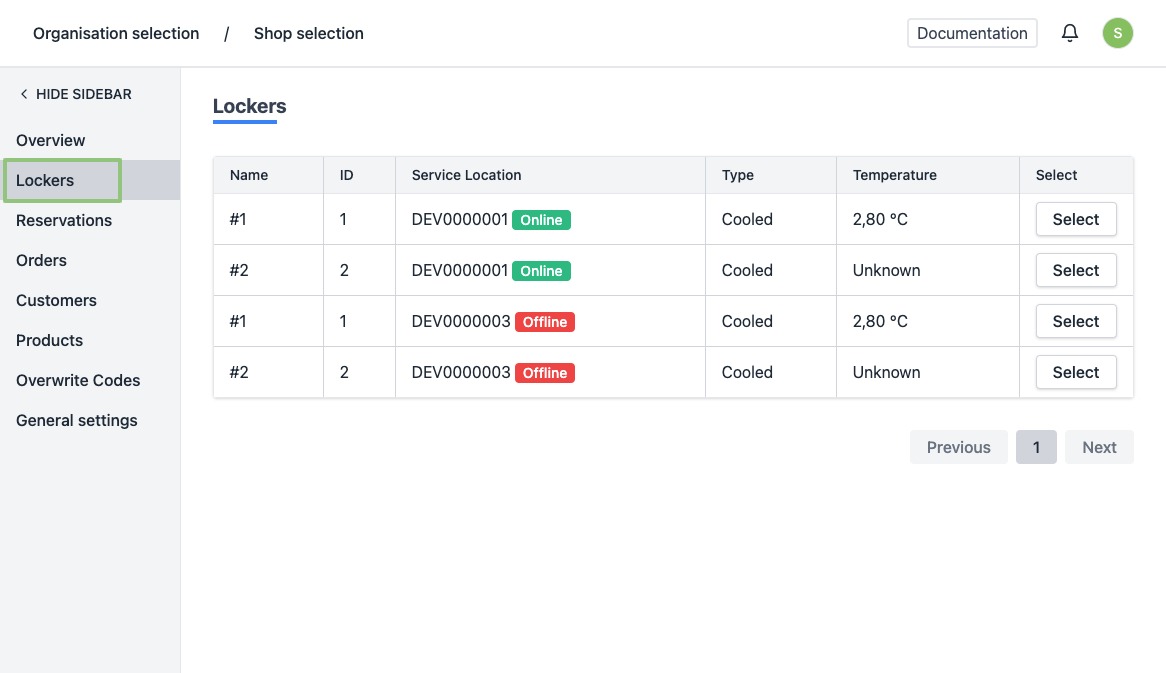
Navigate to the lockers page
- Log in to https://app.viresmo.com.
- Select your organisation and your store.
- In the menu on the left, go to "Lockers".
Overview
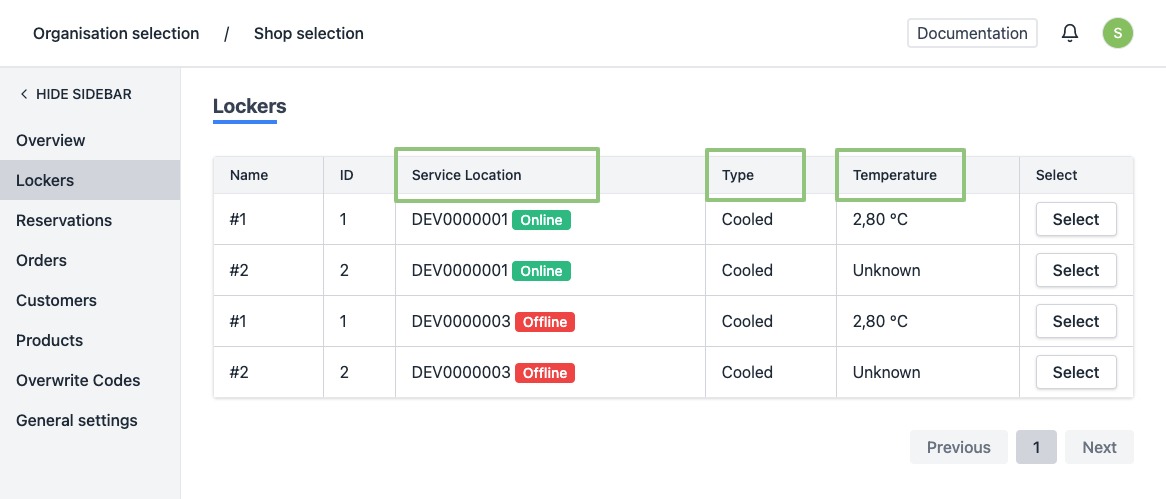
You will see a list of all your current lockers.
In this overview you can view and monitor the status of your devices at a glance. Your devices must be online for optimal operation.
- Service Location indicates whether your locker is currently online or offline.
- Type The type of your locker: cooled / room temperature / heated.
- Temperature The monitored temperature in the locker.